MAD WordSearch Puzzle Generator - Online Access
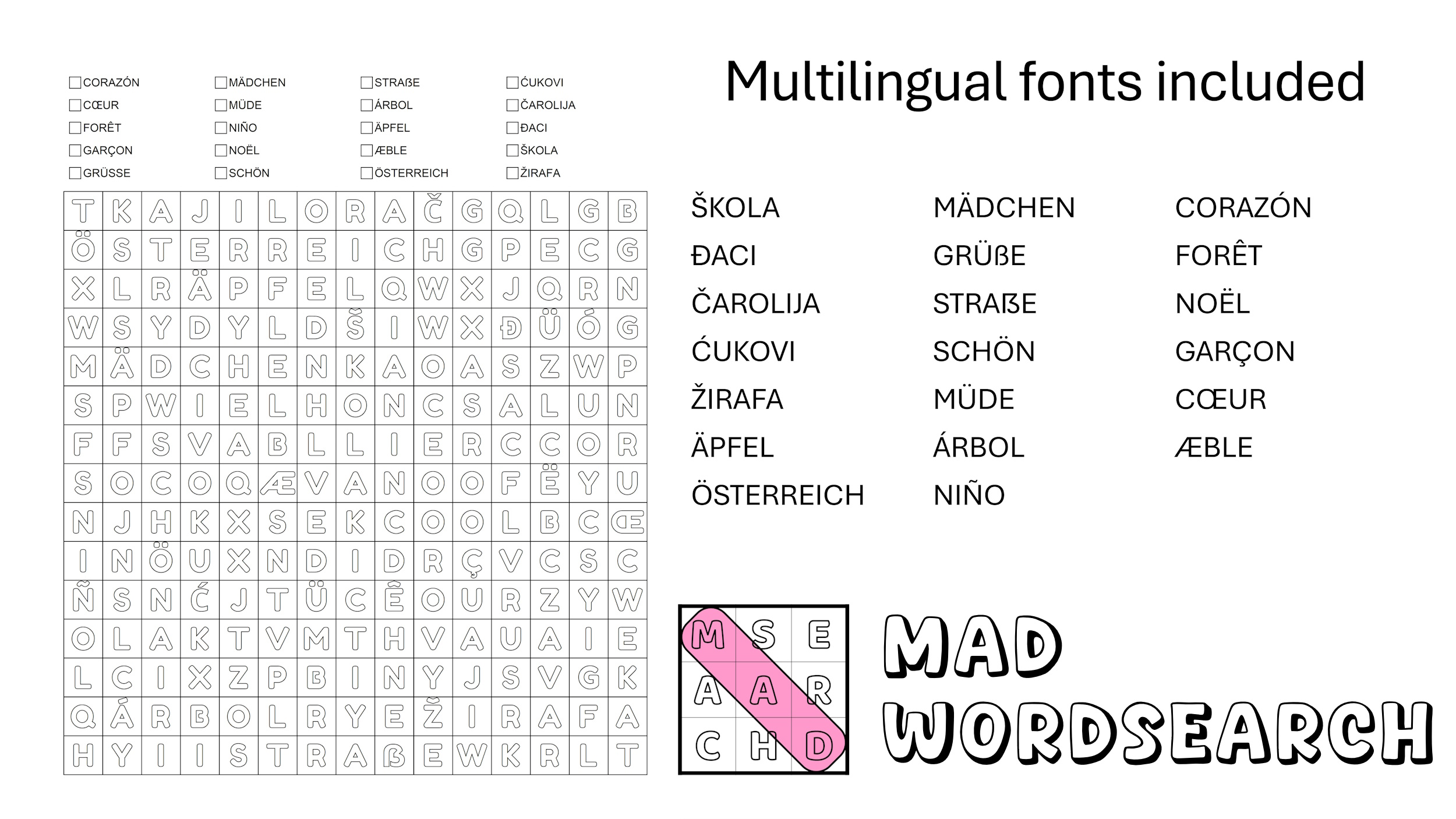
MAD WordSearch is an ONLINE APP for creating high-quality, printable Word Search puzzles and matching solutions. It is designed for educators, puzzle book creators, therapists, publishers, and anyone who needs full control over layout, fonts, and export quality.
Key Features
What You Can Create
-
Professional word search puzzles
-
Clean, matching solution pages
-
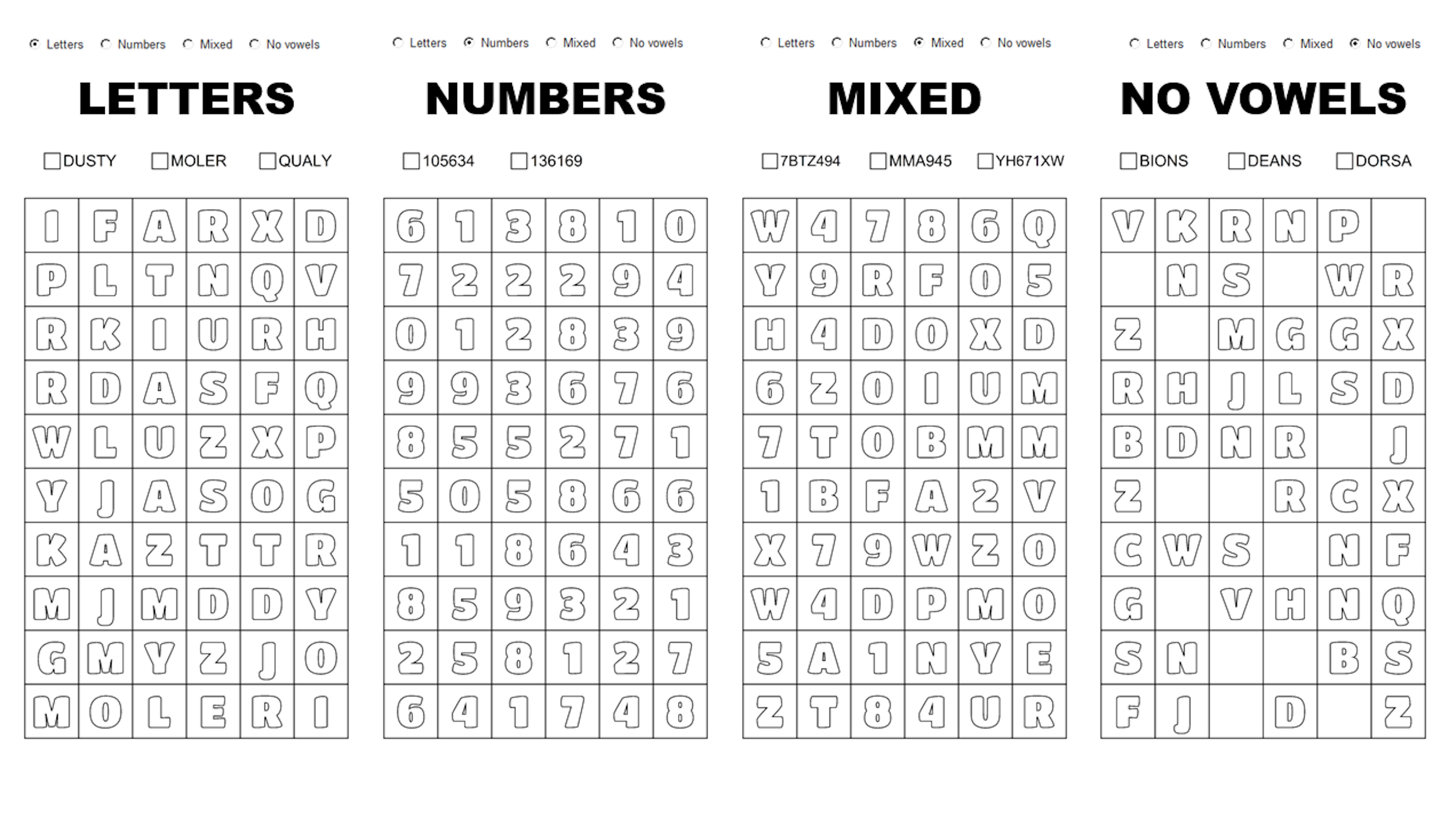
Letter, number, and mixed puzzles
-
Special “missing vowels” word searches
-
Print-ready SVG and high-resolution PNG files (300 DPI)
Perfect for books, worksheets, activity and therapy materials, classrooms, and digital downloads.
Puzzle Content Types
-
Letters
-
Numbers
-
Mixed (letters + numbers)
-
No Vowels (missing vowels in grid)
Full control over the directions used inside the puzzle grid.
Fonts
-
Use only a specific set of fonts
-
Supports custom outlined fonts
-
Ideal for coloring books and bold print styles
Word Bank Control
-
Alphabetical, by length, or random sorting
-
Optional checkmarks: none, square, or circle
-
Placement: top, bottom, left, or right
-
Adjustable gap between puzzle and word bank
-
Full control of text alignment inside each cell
-
Export the word bank as a separate TXT file
Word Lists Accepted
-
Simple TXT format, one word per line
-
Use words in file order or randomly
-
Rows × columns must match or exceed words per puzzle
-
Sample TXT files are provided so you are ready to use the generator
Solution Styles
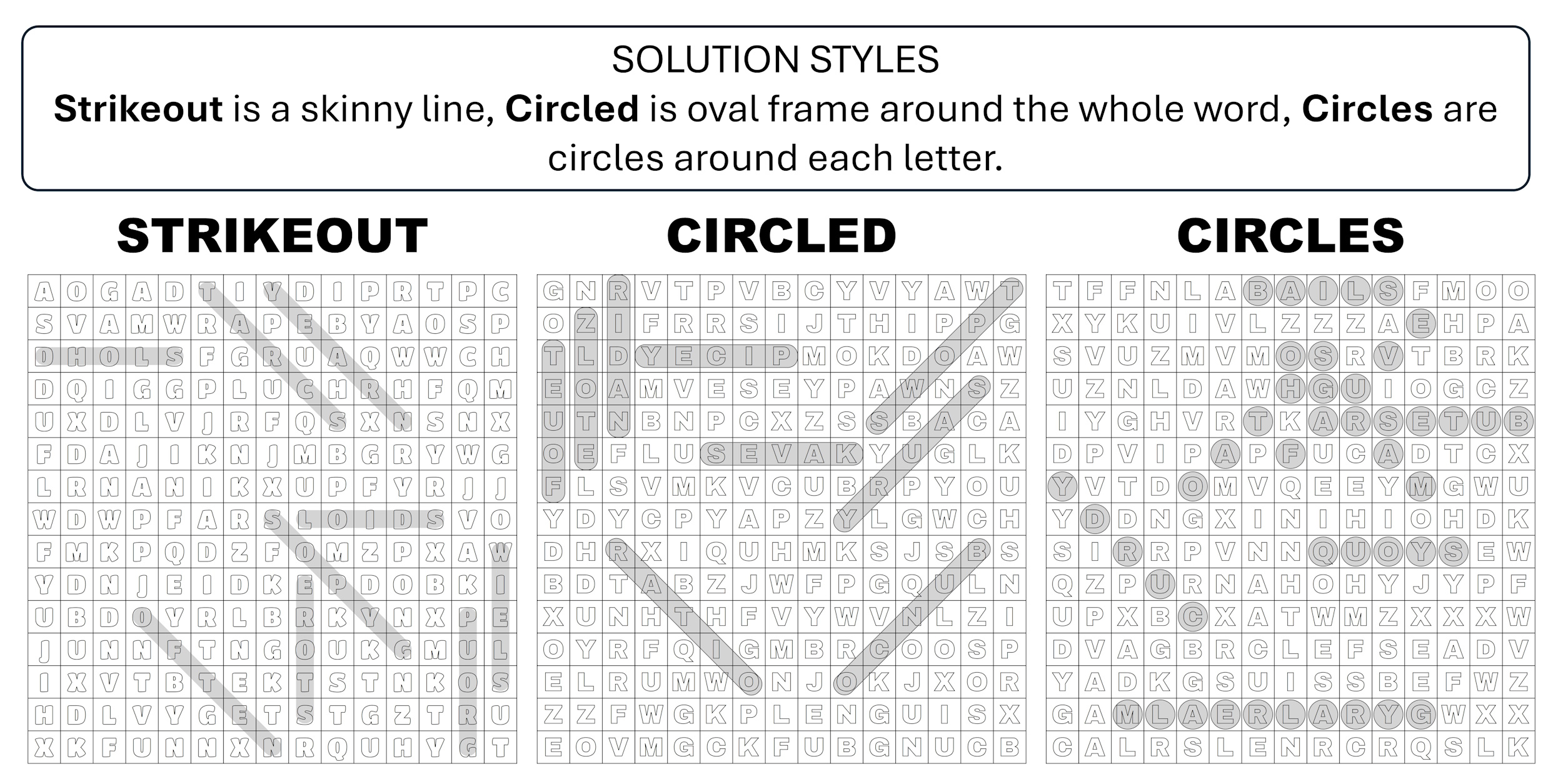
Choose how solutions are displayed:
-
Strikeout line
-
Single circled word
-
Circle around each letter
Full control over:
-
Line thickness
-
Line color
-
Background color
-
Solution visibility per output
Output & Export
-
Export options:
-
SVG only
-
PNG only
-
SVG + PNG
-
FAQ
Who is this tool for?
This tool is designed for educators, puzzle‑book publishers, activity‑book designers, Etsy/TPT/KDP creators, and anyone who values full layout control and is willing to work thoughtfully and intentionally. It’s built for creators who care about quality, consistency, and craftsmanship – not for those seeking a one‑click, mass‑production shortcut.
Can I export generated puzzles as a PDF?
No. Export options are limited to PNG and SVG formats.
- PNG files are exported at 300 dpi, suitable for high‑quality print.
- SVG files are unflattened vector files. Depending on your design software, some fonts may shift slightly. To help with this, the tool includes horizontal and vertical offset controls so you can fine‑tune alignment.
Does this tool produce KDP‑ready PDF files?
No, and it never will. A puzzle being “valid” doesn’t automatically make it the right fit for a professional book. Serious publishers typically generate and refine each puzzle multiple times to match the tone, difficulty, and visual standards of their project. This tool supports that creative process – it does not replace it.
Does putting in extra effort guarantee sales?
No. Creating the book is only 10–30% of the journey. Sales depend on marketing, visibility, consistency, platform presence, and luck. Successful creators often invest time in:
- TikTok, YouTube, Instagram, Facebook
- Regular posts and videos
- Demonstrating their puzzles
- Buying and showcasing their own books
Quality matters, but promotion matters just as much.
Other books are selling – do they really take that much time to make?
Yes. You can produce a low‑quality book quickly, but high‑quality books consistently outperform rushed ones. Every time you publish a word search book, you’re competing with tens of thousands of new titles. To stand out, you must ask:
- What makes my book better?
- What makes it different?
- Why would someone choose mine over the others?
Quality, care, and originality are what give your book a chance.
Do I need skills to use this tool?
Yes. You should be comfortable with:
- Basic computer and browser use
- Preparing clean, well‑formatted word lists
For book creation, you’ll also need fundamental graphic design skills, including:
- Page layout
- Typography
- Composition
- Cover design
Familiarity with tools such as Inkscape, Illustrator, Canva, Affinity, PowerPoint, or similar software is highly recommended.
Are the fonts safe to use?
Yes. All included fonts are either commercial‑use Google Fonts or original fonts designed by me.
Are refunds possible?
No. All sales are final. If you have any questions or if something is not clear, please ask prior to purchase.
Join the support Facebook group to get all your questions answered: https://www.facebook.com/groups/createwithmarina
Can I use it on the phone?
Technically, yes, but please don’t. Book creation and design is really something that should be done on a computer with proper tools.
Are there any upgrades or upsells?
No, everything is included in one single product listing.
Why the one-year limit?
This listing is for 1 YEAR online access to the tool with FREE lifetime extension – meaning if I am around to take care of the server and hosting, you will have access to it.
Usage Rights
-
You may create and distribute freebies made with the app.
-
You are allowed to offer PLR rights for any puzzles you create.
-
You can sell the puzzle images generated with this tool on platforms such as Etsy, TPT, Fiverr, Upwork, Creative Fabrica, Design Bundles, Gumroad, and similar marketplaces.
-
You may sell resell rights to the puzzles you produce, or create puzzle books for your clients.
-
Attribution is optional, but you’re welcome to mention that your puzzles were created with MAD WordSearch.
For additional questions or community support, join: https://www.facebook.com/groups/createwithmarina
How To Promote Your Books
My tools and resources make creating puzzle and activity books easier, but easy creation doesn’t automatically mean sales. Once your book is published, focus on showcasing and promoting it just like any other product.
Here’s what I recommend:
1. Order approx. three copies of your book – regular or author copies (not print proofs). Also get a set of dot markers or acrylic markers – acrylic markers are best because they won’t bleed through the pages.
2. Set up your social media presence under your pen name. Create accounts on Facebook, Instagram, YouTube, TikTok, Twitter (X), and Pinterest. These will be your brand’s online storefronts.
3. When your books arrive, start taking photos and videos daily. Use one book actively (solving puzzles, coloring, showing details) and keep the other two in the frame for styling and display.
4. Post consistently across all platforms. You can reuse the same images and clips on multiple networks – consistency matters more than variety at first.
5. Don’t worry if it feels like a lot of work at first. Remember, thousands of books are published on Amazon KDP every day. To stand out, show that there’s a real, creative person behind your brand – not just another automated listing.
6. Batch-create content when you can. Record several short videos in one sitting, then post them gradually to stay active even when you’re busy.
Authentic promotion makes people connect with your brand. When readers see you enjoying your own books, they’ll want to experience them too.
Keep creating, keep sharing, and remember – consistency builds visibility and visibility brings sales.
Earnings Disclaimer
Every effort has been made to accurately represent this product and its potential. However, there is no guarantee that you will earn any money using the techniques, tools, or ideas provided. Examples shown should not be interpreted as a promise or guarantee of earnings. Your level of success depends on many factors, including your skills, effort, knowledge, and market conditions. We do not provide financial, legal, or professional advice. By purchasing, you acknowledge that you are responsible for your own business decisions and results.
This site is NOT endorsed by Google, Facebook or YouTube in ANY WAY. All trademarks & Logo/branding are the property of their respective owners.